

The short answer
A softphone is a software application that makes and receives phone calls over the internet, on a smartphone, computer or browser, without a physical desk phone. It connects to a phone system or VoIP provider using SIP, so you get a real phone number, extensions and calling features on any device you already own.
Businesses use softphones to let staff take office calls anywhere. VoIP providers and operators use white-label softphones, branded as their own app, to deliver calling services to their subscribers. App developers use softphone SDKs to add calling inside their own products.
How a softphone works

- Registration. The app signs in to a SIP server, usually a softswitch or hosted PBX, with a username and password, so the server knows where to send your calls.
- Signalling. When you dial, the app sends a SIP request to the server, which routes the call to another app, a desk phone, or out to the mobile and landline network through operators.
- Voice. Your voice is compressed by a codec (such as Opus or G.711) and sent as data packets over Wi-Fi or mobile data. The other side's voice comes back the same way.
- Incoming calls on mobile. Modern mobile softphones use push notifications to wake the app when a call arrives, so calls ring reliably even when the app is closed and the battery is not drained.
All you need is an internet connection, a microphone and speaker (or headset), and an account with a phone system or VoIP provider.
Types of softphones
- Mobile softphones for Android and iOS. The most common today: your business number on your personal phone, kept separate from your personal number.
- Desktop softphones for Windows and macOS, often used by contact-centre agents and office staff with a headset.
- Web softphones (webdialers) that run in the browser using WebRTC, with nothing to install. Useful for CRM-integrated calling and for agents who switch computers.
- Embedded softphones built into another application, such as a CRM, helpdesk, telemedicine or marketplace app, using an SDK.
- Branded (white-label) softphones that a VoIP provider publishes under its own name in the app stores.
Features to expect
- Voice calls over Wi-Fi, 4G and 5G, with good audio on weak networks.
- Video calls and screen sharing.
- Instant messaging and presence (available, busy, away).
- Call transfer, hold, conferencing and call waiting.
- Voicemail, call history and contact sync.
- Call recording, where permitted.
- Multiple accounts or numbers on one app.
- In-app top-up, balance and rates, for providers selling calling to consumers.
- Encryption of signalling (TLS) and voice (SRTP).
Softphone vs desk phone
| Softphone | Desk phone | |
|---|---|---|
| Hardware | None, runs on devices you already own | A phone per desk, plus cabling and power |
| Where it works | Anywhere with internet | At the desk |
| Setup | Download, sign in, done | Order, ship, install, configure |
| Features | Voice, video, chat, presence, integrations | Mostly voice |
| Cost | Low; usually included with the service | Hardware cost plus replacements |
| Best for | Remote, mobile and hybrid teams | Fixed reception desks, shared phones |
Many organisations use both: desk phones at reception and softphones for everyone else.
Softphones for businesses
For a business, a softphone turns every employee's phone or laptop into an office extension:
- Work from anywhere on the same business number, so customers never see a personal mobile number.
- Lower costs with no desk phones to buy and cheaper calls over the internet, especially internationally.
- Faster onboarding: a new hire is calling within minutes of getting their login.
- Better customer service with transfers, hunt groups and call recording, plus click-to-call from the CRM.
- One app for voice, video and chat as part of a unified communications system.
White-label softphones for VoIP providers
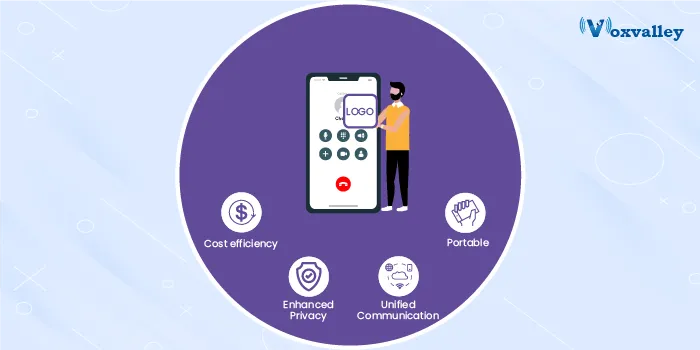
A VoIP provider, operator or calling-card business needs an app its subscribers can download. Building one from scratch takes a mobile team, months of work and constant updates for new Android and iOS versions. A white-label softphone solves that:
- Your brand: your name, logo, colours and app-store listing.
- Connected to your switch: it registers to your softswitch and shows your rates, balance and top-up options.
- Revenue features: in-app recharge, vouchers, calling plans and referral offers.
- Reliability: push notifications for incoming calls, network handover between Wi-Fi and mobile data, and audio tuned for weak connections.
- Maintained for you: the vendor keeps the app working with each new operating-system release.
Voxvalley supplies white-label softphones for Android, iOS and desktop, plus a browser-based webdialer, offered both as a white-label licence and on monthly rental. Paired with the Voxvalley softswitch, a provider can launch a complete branded calling service on one platform. See our softswitch guide for how the two fit together.
Building your own with a softphone SDK
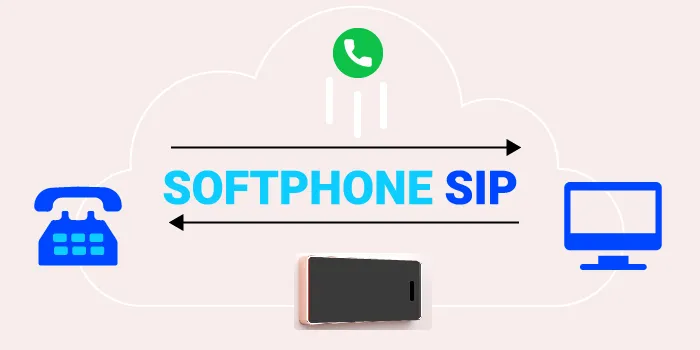
If calling is one feature inside a larger app, a softphone SDK is the better route. The SDK is a library your developers add to the app; it handles SIP registration, audio, codecs, push notifications and network changes, while your team designs the screens and the experience.
Typical uses: doctor-patient calls in telemedicine apps, buyer-seller calls in marketplaces, tutor-student calls in education apps, driver-rider calls in mobility apps (often with number masking), and agent calling inside CRMs and helpdesks.
When comparing SDKs, check platform coverage (Android, iOS, web), audio quality on poor networks, push support, encryption, documentation and how quickly the vendor responds when something breaks.
How to choose a softphone
- Platforms: does it work on every device your users have, including the browser?
- Call quality: test on weak mobile data and busy Wi-Fi, not just the office network.
- Incoming-call reliability: ask how push notifications are handled on iOS and Android.
- Security: TLS and SRTP encryption, and protection of SIP credentials.
- Integration: does it work with your phone system, CRM and billing?
- Branding: for providers, can it carry your name in the app stores?
- Support and updates: who fixes it when a new iOS version breaks something?
- Cost model: per-user licence, monthly rental or a one-time white-label licence.
Voxvalley has been building softphones and voice platforms since 2009 for businesses, VoIP providers and operators. Talk to our team about a branded softphone or an SDK for your app.